iphonexs怎么清理垃圾?首先点击设置,点击通用,点击iPhone储存空间,等待计算完毕之后,点击卸载未使用的应用即可清理垃圾,下面小编为大家带来具体操作方法。
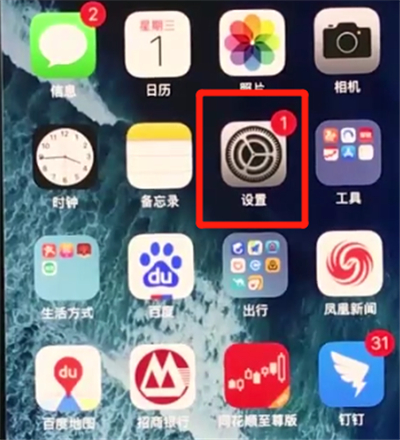
1、首先点击设置
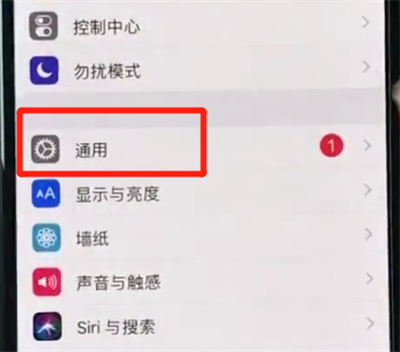
2、点击通用
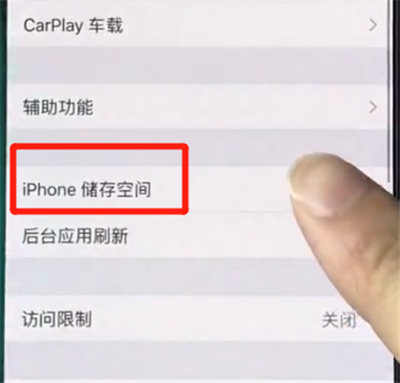
3、点击iPhone储存空间
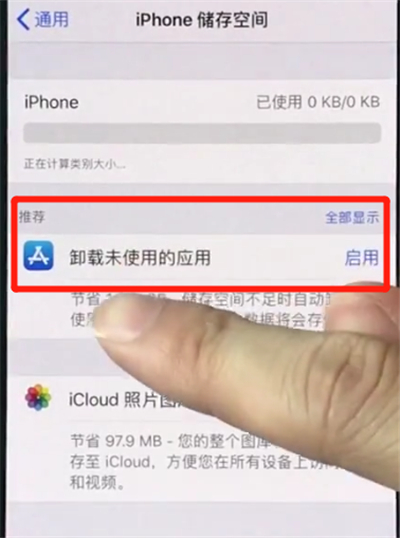
4、等待计算完毕之后,点击卸载未使用的应用即可清理垃圾
以上就是小编为大家带来的iphonexs怎么清理垃圾操作方法,更多智能教学视频尽在智能家!
iphonexs怎么使用手电筒
大雄2018-10-10
iphonexs怎么切换全屏多任务
大雄2018-10-10
iphonexs怎么批量删除照片
大雄2018-10-10
iphonexs怎么恢复被删除照片
大雄2018-10-10
iphonexs怎么关闭软件自动更新
大雄2018-10-10
iphonexs怎么关闭APP小红点
大雄2018-10-09
iphonexs怎么关闭APP内评分提醒
大雄2018-10-09
iphonexs怎么截图
大雄2018-10-09
iphonexs怎么更新系统
大雄2018-10-09
iphonexs怎么更新微信
大雄2018-10-09
查看更多视频>>